

MediaMTX Administration
OpenNVR does not rebuild the wheel when it comes to raw stream processing. Instead, it tightly integrates with MediaMTX, the industry-leading open-source real-time media server.
However, unlike standard deployments where an administrator must manually edit complex mediamtx.yml configuration files to establish paths, OpenNVR utilizes deep API Hooks to administrate the MediaMTX proxy layer dynamically.
Dynamic Path Orchestration
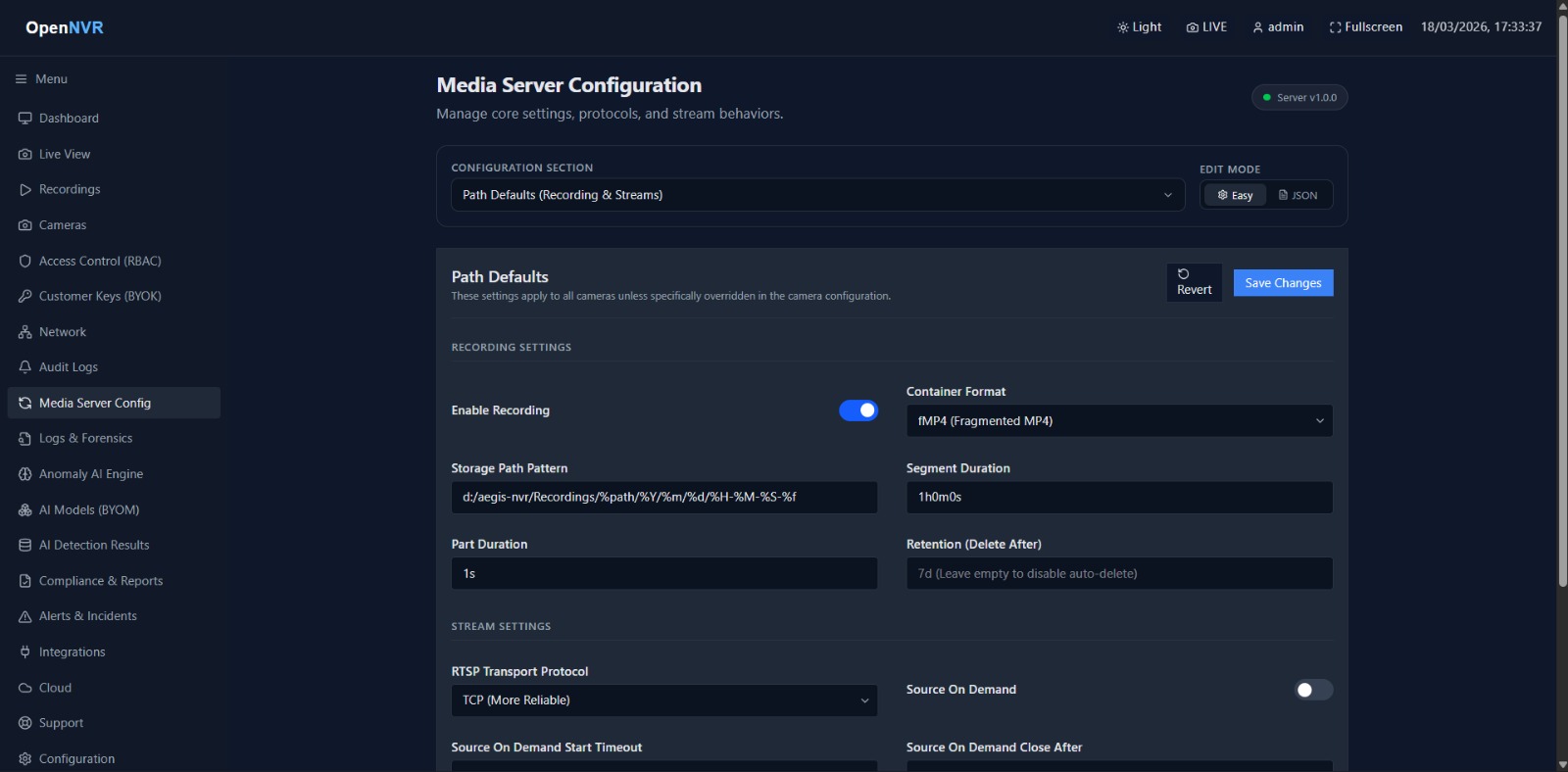
When an administrator adds a camera via the OpenNVR UI, the FastAPI backend instantly transmits a payload to MediaMTX’s internal API. This establishes the RTSP ingestion tunnel, configures the WebRTC rebroadcasting layers, and sets up the asynchronous recording chunk listeners—all in a fraction of a millisecond.
Network Topology Matrices
Depending on how you deployed OpenNVR (Docker Bridge vs. Native Host), MediaMTX requires specific internal routing pointers so that its Webhooks can alert the FastAPI core when a new recording segment is finalized.
- Docker Bridge (Recommended): Internal DNS is utilized. MediaMTX is instructed to resolve JWKS (JSON Web Key Sets) and webhooks via
http://opennvr_core:8000/.... - Host Networking (Linux Bare-Metal): The network namespace is shared, meaning services route natively through
127.0.0.1.
Direct Engine Manipulation
While the UI orchestrates 99% of path administration, advanced System Administrators can verify MediaMTX health directly using the internal container APIs.
Verifying Active Proxy Paths:
# Execute within the docker ecosystem to list all active dynamic paths
docker compose exec opennvr_core curl -s http://mediamtx:9997/v3/paths/list
Restreaming and WebRTC (WHEP) Governance
Because OpenNVR sits physically between your cameras and your users, you must ensure that your external firewall allows WHEP (WebRTC HTTP Egress Protocol) negotiations if your users are accessing the Live View from outside the local subnet.
If live streams fail, it is traditionally an indication that the internal authJWTJWKS endpoint inside mediamtx.docker.yml is improperly mapped, causing MediaMTX to reject the browser’s viewing request. Always ensure MEDIAMTX_SECRET matches your configurations.