Just ask your cameras.
Say it out loud — "is there a person at the front door?" — and a local LLM answers, grounded in a live frame from that camera, spoken back to you. No cloud. No API keys. No subscription. Running on the same box that records your footage.
How it works
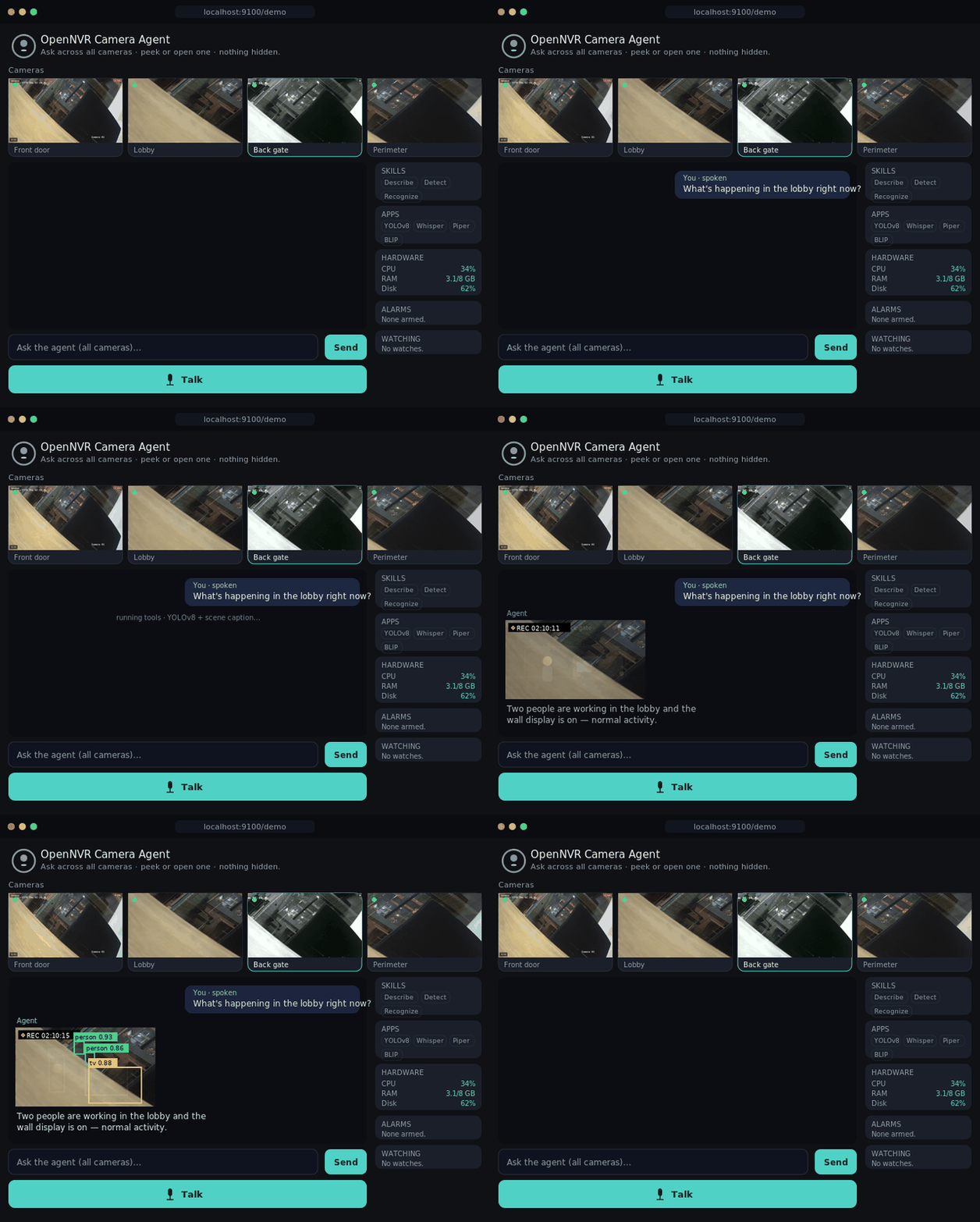
When you speak, Whisper transcribes your question on-device. A small LLM hosted by Ollama — with tool-calling — decides which camera and which tools to use, then runs YOLOv8 detection and a scene caption (BLIP, or Moondream for open questions) on a live frame, checks recent events, and composes an answer. Piper speaks the reply back. The whole loop runs on the same machine that records your footage.
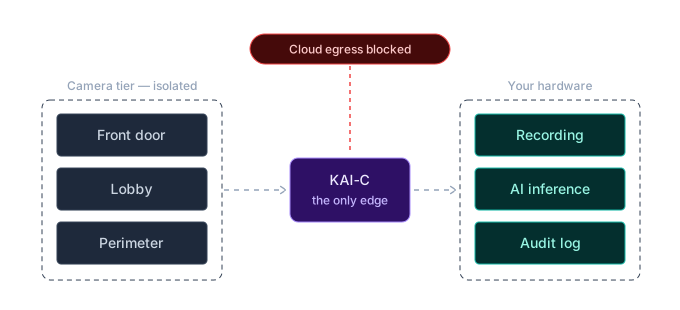
Nothing about the pipeline is a black box: every inference goes through the KAI-C middleware, carries an end-to-end correlation ID, and lands in the append-only audit log — so "why did the agent say that at 22:14?" always has an answer.
Skills, and the tasks you build from them
Everything the agent does is a skill — a capability it has — and a task is a standing assignment you give it, built from those skills. Seven skills are on out of the box: see, count, footage, apps, events, alarm and watch. faces switches on when the InsightFace adapter registers; report and task are one config line.
Switching a skill off removes its tools from what the model can call — the agent genuinely reconfigures, it does not just decline. And every app installed from the catalog registers itself as a skill, so "is the occupancy counter healthy?" works without anyone writing agent code.
Most systems hand you a wall of thumbnails and "motion detected" alerts. The camera agent watches on your behalf and answers in plain language: who's at the door, whether the package arrived, what happened on the perimeter overnight. It has four registered tools — scene captioning, object detection, face recognition, and the NATS event history — and picks the right one for the question against the right camera.
Local by default — provably
The agent runs entirely offline: qwen2.5:1.5b is the default — roughly 1 GB of RAM on a plain CPU, no GPU required, and chosen because it is the smallest model that still calls tools reliably. Drop to qwen2.5:0.5b on very low RAM, or step up to qwen2.5:3b for better grounding. Under OpenNVR's default local_only sovereignty policy, any adapter that declares network egress is refused registration outright. You decide what, if anything, leaves the building — and the audit log proves it.
Voice or chat, your call
The flagship is hands-free voice — ask out loud, hear it spoken back over a WebRTC transport with Silero voice-activity detection. Prefer to type? The same agent runs in a lighter chat mode (--chat): same tools, same grounded answers, no microphone or speaker. Both open at /demo and ship in v0.1.
Runs on modest hardware
No camera yet? Click Use this machine's camera and the agent runs against your laptop webcam, a USB or Pi camera, or the onboard sensor on a drone or robot — zero provisioning. OpenNVR Cam turns an Android phone into an ONVIF camera for the same reason.
Bring the voice overlay up with a single compose flag on top of a standard OpenNVR install. Pre-built adapter images pull from GHCR — Whisper, Piper, YOLOv8 and BLIP are all CPU-runnable, and the model is fetched automatically on first boot. No cloud account, no per-seat licence, no data leaving your network.