The gate opens for the right cars and keeps a record of all of them.
Plate recognition and gate control that run on a box at your site, with the cameras and the barrier you already have. Registered vehicles drive in, visitors are logged with a photo, watchlisted plates are refused, and every decision is on record.
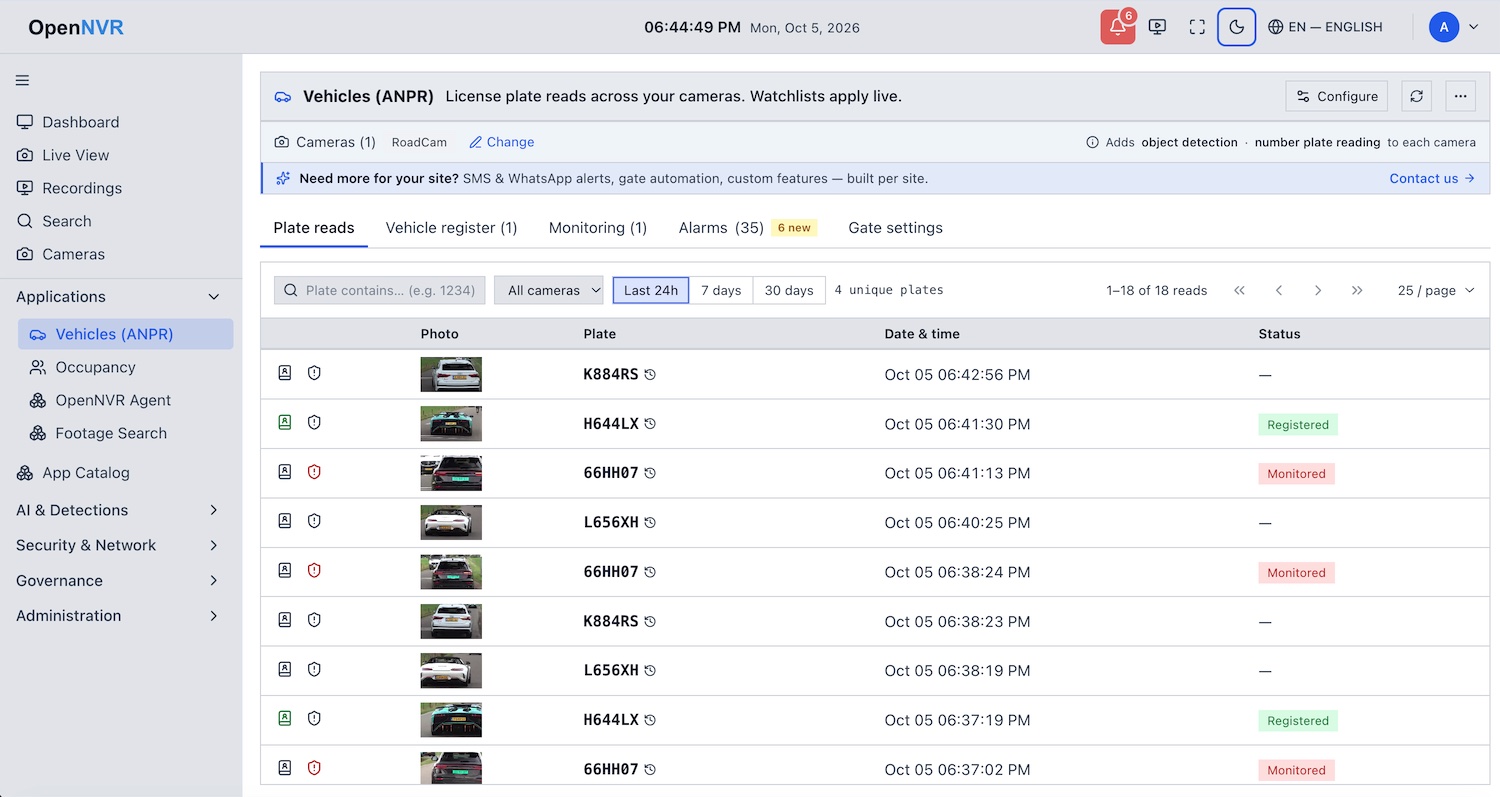
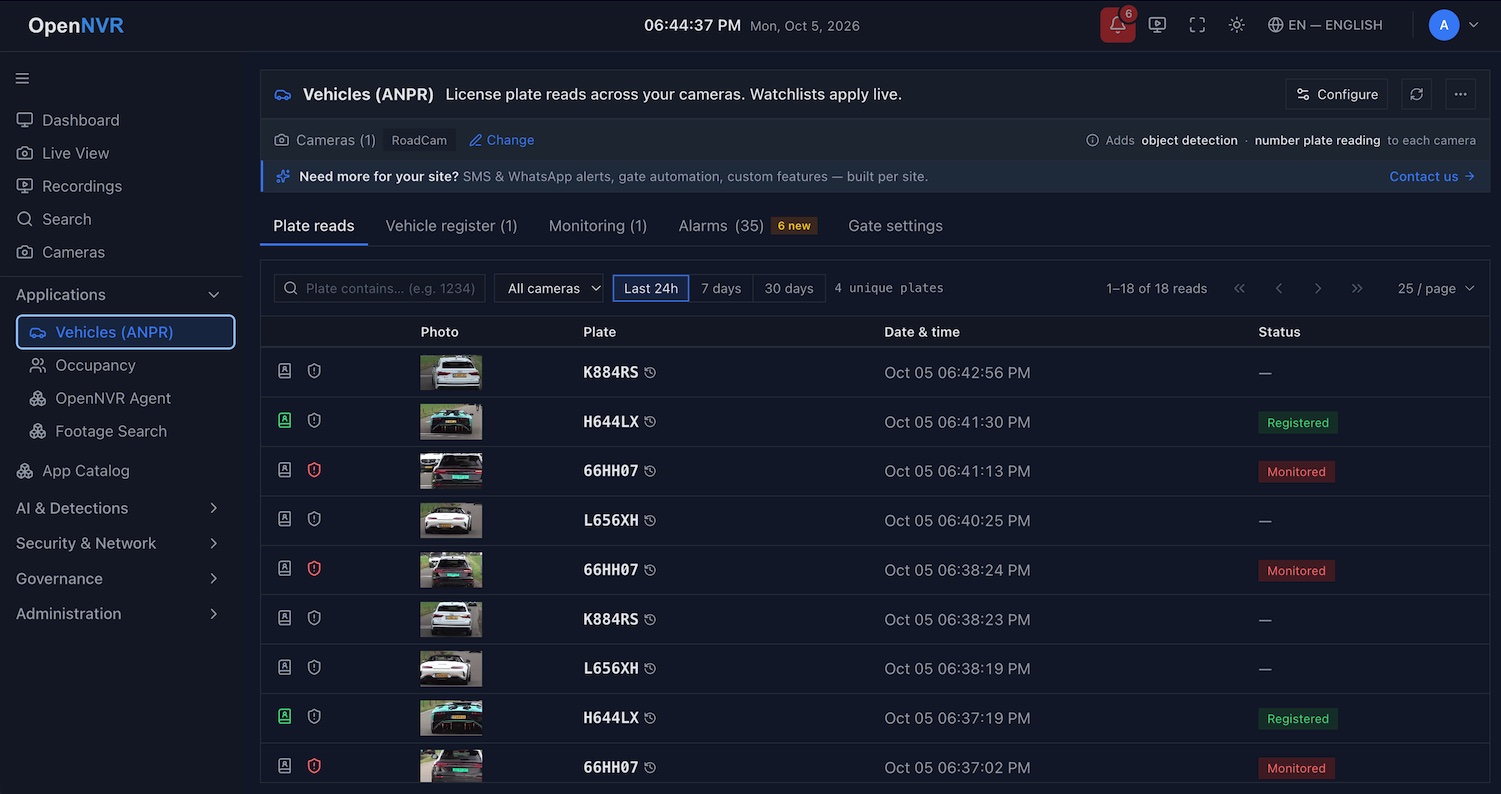
What changes at the gate
Residents and staff drive straight in
A registered plate opens the barrier before the car stops. No remote, no card, no guard reaching for a button.
Visitors are known, not guessed
Every unregistered vehicle is logged with its photo, plate, camera and time. A visitor who stays past the limit raises an overstay alert.
Watchlisted vehicles are refused and reported
A plate on the deny list keeps the gate closed and sends an alert to the guard's phone with the picture.
A record you can show
Every read and every gate decision is on the Vehicles and Gates pages, searchable by plate, and in the audit log. Export it when someone asks.
How a car gets in
- 01
The camera sees a vehicle
The always-on detector spots the car and keeps its best frame. Nothing else runs until a vehicle is there.
- 02
The plate is read
The plate OCR adapter reads the crop and reports the plate and its region. Accurate mode takes up to four looks and needs two to agree; fast mode takes the first good read; auto switches when a queue builds.
- 03
The app decides
Registered, visitor or watchlisted, by the lists you keep on the app's own page. Changes apply live.
- 04
The gate acts
The Gate Controller closes the contact for an allowed vehicle and does nothing for anyone else. Deny, unknown or an unreadable plate: the gate stays shut.
Two apps do this, and they are kept apart on purpose: License Plate Recognition decides who may enter, and Gate Controller knows which wiring opens which gate and judges nothing. A fault in one cannot open a gate from the other. Fail closed is the contract.
Works with the barrier you have
A barrier accepts a momentary contact, the same two terminals a push button uses. The Gate Controller closes it five ways, and where the wiring reports the barrier's position, the Gates page shows it live, with Open and Hold controls and hold-open schedules.
Dry contact
A relay on a GPIO pin: the same two terminals a push button is wired to. Every barrier ever made accepts it.
IP relays
Shelly, Tasmota, ESPHome, ControlByWeb or any HTTP relay, by named profile.
Modbus TCP
Industrial controllers and parking equipment; reads the barrier's position back.
ONVIF Profile C
Door controllers that report state and can be held open, with no extra wiring.
MQTT
Sites that already run a broker.
Any ONVIF or RTSP camera
The plate reader works from the camera you point at the lane. A dedicated plate camera helps at night and at speed; it is not required.
Who runs it
Housing societies and gated communities
Residents in, visitors logged, overstays flagged. The register is editable by the society's own office.
Offices and industrial sites
Staff, contractors and deliveries each on their own list, with gate decisions in the audit trail.
Parking and logistics
Fast mode keeps a busy entrance moving; the register and overstay alerts show who is on site right now.
Integrators and installers
Any ONVIF or RTSP camera, any barrier with a contact closure, and a Gates page your customer can operate. No per-camera licence in the open-source edition.
On your hardware, with your data
Plates are personal data. Here they are read on a box at your site and stay there: no cloud account, no plate ever sent to a vendor, and a retention window you set. The register and the watchlists are yours to edit. If a question comes from a resident or a regulator, the Vehicles page and the audit log answer it.
The reader is tuned per region, and if it is not accurate enough on your lane, we fine-tune it on your footage, on your hardware.
Start with one lane
Install OpenNVR, add the lane camera, install License Plate Recognition from the App Catalog and watch the reads arrive. Add the Gate Controller when you are ready to wire the barrier.