Support
Run built-in diagnostics, read your environment info, snapshot the media server, and export a support bundle to attach when opening a ticket.
On this page
Support is OpenNVR’s built-in diagnostics and troubleshooting page, reached at Support in the sidebar (route /support). It’s always visible to any signed-in user, though full diagnostics need admin rights. The subtitle sums it up: “Diagnostics, environment info, and tools to help troubleshoot.”
[!NOTE] Non-admins see a “Limited access. Ask an administrator to run full diagnostics.” banner — the media-server checks and snapshot are superuser-only.
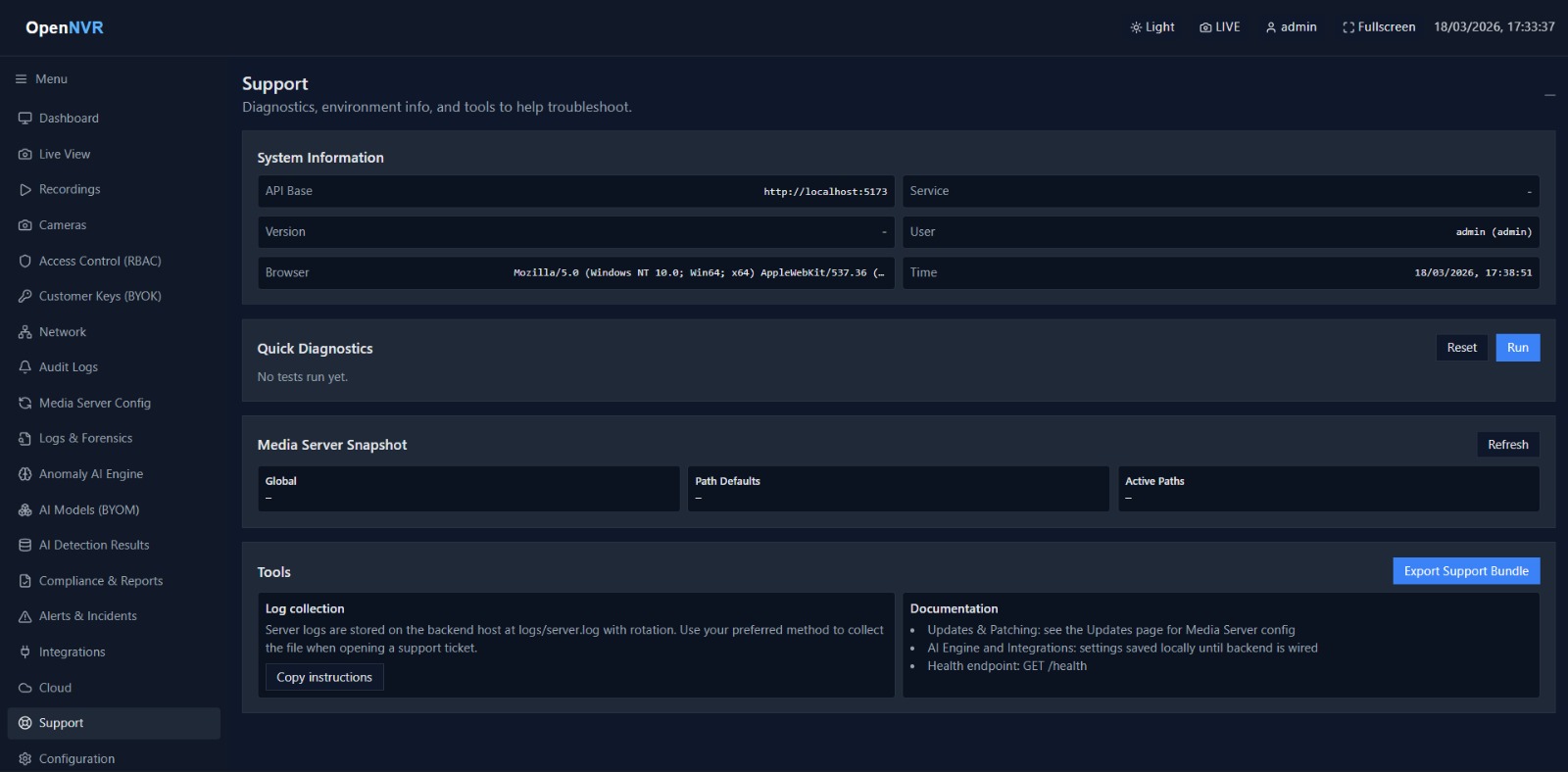
What you can do here
- Read System Information at a glance (API base, service, version, user, browser, time).
- Run Quick Diagnostics against the backend and see per-check status.
- View a Media Server Snapshot (admin only).
- Export Support Bundle as a JSON file and copy log collection instructions for a ticket.
System Information
A read-only grid populated automatically on load:
| Field | Shows |
|---|---|
| API Base | The configured API base URL, or the app origin |
| Service | The backend service name (from the health check) |
| Version | The backend API version |
| User | Your username and whether you’re admin or user |
| Browser | Your browser user-agent string |
| Time | The current local time |
Run diagnostics
- In the Quick Diagnostics card, click Run.
- Each check reports a status badge — idle, running, ok, warn, or error — with a short message.
- Click Reset to clear the results.
The checks run:
- API health — hits the health endpoint (
GET /health) and reports service and version. - WebRTC client configuration — fetches the RTC client config.
- Media Server admin API (admin only) — checks the media server’s global config, path defaults, and active paths.
- Media Source settings (admin only) — fetches the media source settings.
Media Server Snapshot (admin only)
For superusers, a Media Server Snapshot card shows the raw JSON for Global, Path Defaults, and Active Paths. Click Refresh to re-run diagnostics and repopulate it.
Tools
The Tools card holds the two things you’ll attach to a support ticket:
- Export Support Bundle — click it (top-right of the card) to download a JSON file named
opennvr-support-<timestamp>.json. The bundle includes the generated timestamp, app origin and API base, browser, your user info, the health result, the diagnostics summary, and (for admins) the settings and media-server snapshot. - Log collection — server logs live on the backend host at
logs/server.log(rotated). Click Copy instructions to copy the exact commands for summarizing and filtering them.
[!TIP] The copied log instructions include
python server/logging_summary.pyto summarize logs and ajq 'select(.level == "ERROR")' logs/server.logexample to filter JSON logs for errors on the server host.
[!NOTE] The support bundle is generated entirely in your browser from data already on screen — no separate upload happens. Attach the downloaded file to your ticket yourself.
📸 Screenshots to capture
Save to opennvr-site/public/screenshots/ with these exact filenames:
support-diagnostics.png— the Quick Diagnostics card after clicking Run, showing a few checks with ok/warn badges.support-tools.png— the Tools card showing Export Support Bundle and the Log collection instructions.